


Name Tags have always been one of the handiest items in Minecraft, especially if you’ve got a pet wolf, a trusty horse, or even a villager you just can’t bear to lose track of. For years, though, getting your hands on one meant relying entirely on luck: digging through chests, fishing for hours, or hoping a Wandering Trader had one in stock.
That all changed with the Minecraft 26.1 Tiny Takeover update. For the first time ever, you can actually craft a Name Tag in Minecraft from scratch. No more waiting. No more luck-based grinding. Here’s everything you need to know, from crafting to using them like a pro.
What You Need to Make a Name Tag in Minecraft
The Tiny Takeover update introduced brand-new crafting recipes alongside the baby mob overhaul, and the Name Tag recipe is one of the most exciting additions. To make a Name Tag in Minecraft, you’ll need just three simple ingredients:
| Ingredient | Amount | How to Get It |
|---|---|---|
| Any Metal Nugget (Iron, Gold, or Copper) | 1 | Craft from any metal ingot |
| Paper | 1 | Craft from 3 sugarcane on a crafting table |
| Crafting Table | 1 | Craft using 4 wooden planks |
- Getting your metal nugget: Getting your metal nugget: Head underground and mine iron, copper, or gold ore using a pickaxe. Once you’ve collected the ore, smelt it into ingots, then craft those ingots into nuggets at your crafting table.
- Getting paper: Find sugarcane growing naturally along riverbanks or near beaches. Break it by hand, then arrange three pieces in a horizontal row on your crafting table to get paper.
Once you’ve got all three items ready, you’re good to go.
How to Craft a Name Tag in Minecraft
With your materials in your inventory, follow these steps to craft a Name Tag in Minecraft:
- Place your Crafting Table on the ground and right-click it to open the 3×3 crafting grid.
- Put the Paper in the bottom-left cell of the grid.
- Place the Metal Nugget in the center cell.
- The Name Tag will appear in the output slot on the right.
- Drag it into your inventory, and you’re done!

It’s a refreshingly simple recipe for an item that used to feel almost impossibly rare.
How to Get Name Tags in a Minecraft World
Crafting is the newest way to get them, but if you want to get Name Tags in your Minecraft world through traditional methods, all the older options still work in the 26.1 update. Here’s a quick breakdown of each one:
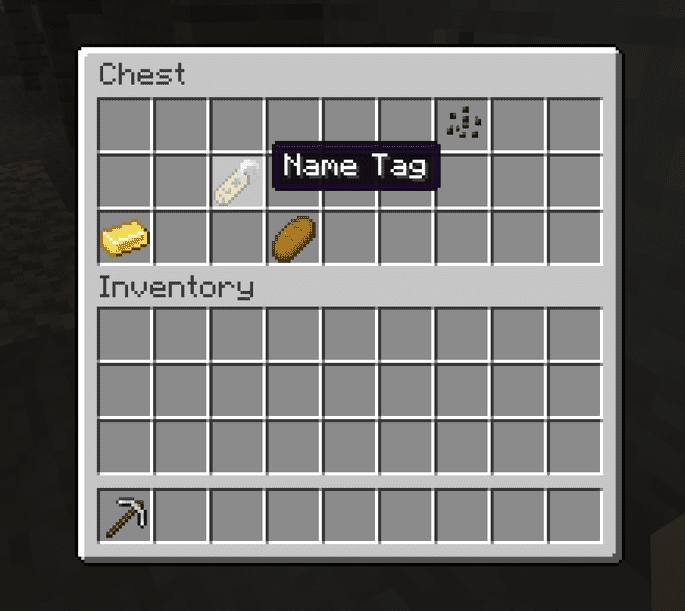
- Loot Chests: This is still a solid option if you’re already exploring. Name Tags can show up in:
- Mineshaft chests: 42.3% chance
- Woodland Mansion chests: 28.3% chance
- Monster Room chests: 25.3% chance
- Ancient City chests: 16.1% chance
- Fishing: Technically possible, but with only a 0.8% drop rate, don’t count on it. Think of it as a pleasant surprise rather than a reliable method.
- Wandering Trader: Occasionally, you’ll find the Wandering Trader selling a single Name Tag for just 1 emerald, which is a pretty good deal if you spot it.
One important change to note: As of the Minecraft 26.1 baby mobs update, Librarian Villagers can no longer trade Name Tags for emeralds. If you were relying on that method, crafting is now your best alternative.
Also check: 10 Best Minecraft Mods to Transform Your Gameplay
Name Tag Uses and Mechanics in Minecraft

Now that you’ve got a Name Tag, here’s how to actually use a Name Tag in Minecraft to name your mobs, because you can’t just walk up to a mob and slap a name on it directly.
Step 1: Name Your Tag at an Anvil
Before you can use it on a mob, you need to give the Name Tag an actual name first:
- Place an Anvil on the ground and right-click it to open the interface.
- Drop your Name Tag into the leftmost input slot.
- Click the text box at the top and type in whatever name you want.
- You’ll notice the rename costs 1 experience point; the same cost applies even if you’re renaming a full stack of 64 Name Tags at once, so don’t be afraid to batch them.
- Once done, drag the renamed Name Tag into your inventory.
Need experience points fast? Set up a mob farm, or simply take out a few zombies or animals nearby to build up your XP before heading to the anvil.
Step 2: Apply It to a Mob
With the named tag in hand, simply right-click on any mob to apply the name. A name label will appear floating above the mob’s head, and that’s your signal that it worked.
What Happens After You Name a Mob?
This is where things get really useful. Once a mob is named:
- It won’t despawn. Named mobs are removed from the game’s mob cap, meaning they’ll stick around in your world indefinitely, no more losing your favorite pet because the game decided to clean up.
- Names carry over as they grow. If you name a baby mob, it keeps that name even after it matures into an adult. Pretty handy for naming your animal farms early.
- Want to keep them young forever? Feed the named baby mob a Golden Dandelion, another new addition from the Tiny Takeover update, to prevent it from aging.
Can you rename a mob after it’s already been named with a Name Tag?
Not directly. You’ll need a fresh Name Tag, rename it at the anvil, and apply it to the mob again. The new name simply overwrites the old one. It’s worth deciding on a name before applying it.
Do Name Tags work on all mobs, including hostile ones?
Yes, Name Tags work on passive, neutral, and hostile mobs alike. Zombies, skeletons, creepers, even bosses. The mob’s behavior stays the same, but it will never despawn, making it a popular trick for decorative builds and mob display farms.
Is there a limit to how many Name Tags you can use in one world?
There’s no hard cap, but every named mob bypasses the despawn system and adds to your world’s persistent entity count. Too many named mobs, especially hostile ones, can hurt performance on lower-end devices. Name only the mobs that actually matter to you.
Check out more Minecraft guides:


